


Product
Products & menus
Manage products, categories, prices and selling options in Backoffice for use at the counter.
What you can do
One source for the product information your team uses.
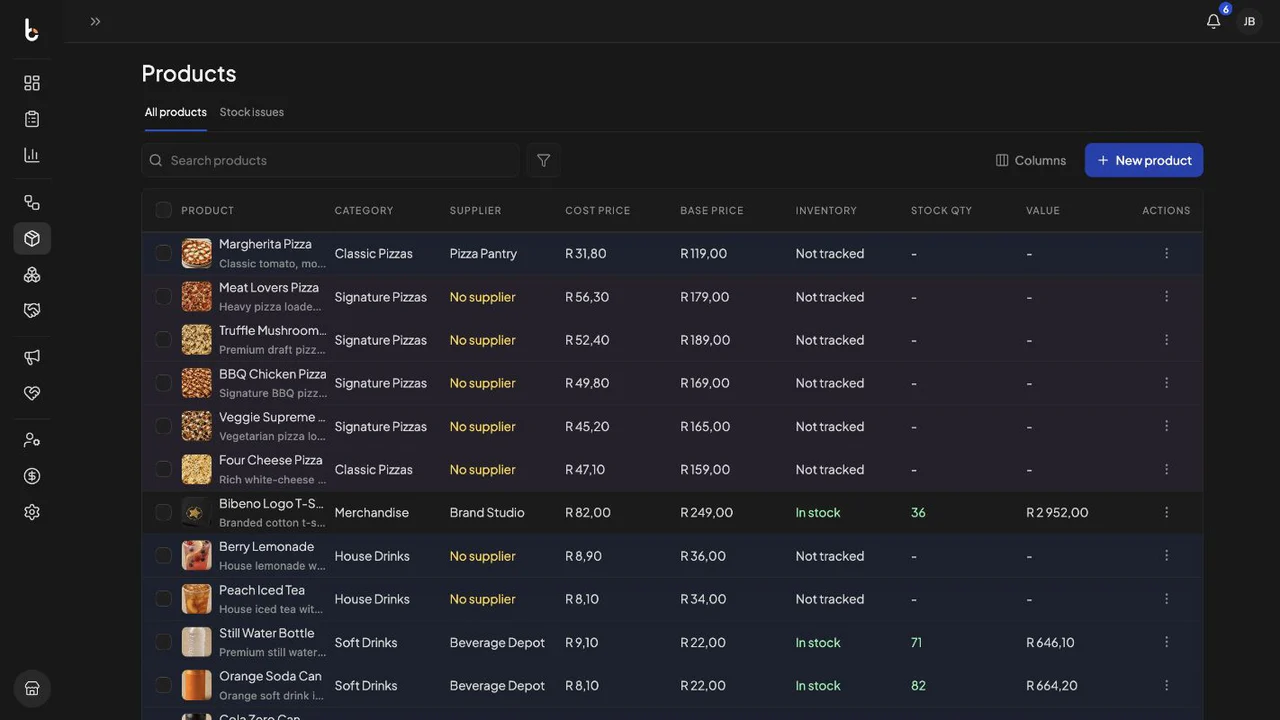
Structured product records keep names, categories and prices consistent as the catalog changes.
Organise the catalog
Group products into categories so they are easier to find and maintain.
Review product pricing
See selling prices, cost information and product status from one structured list.
Set up the selling menu
Control which products and options are available to the team at the counter.
From setup to sale
Set products up once, then use them at the counter.
The details managed in Backoffice become the product choices your team uses during a sale.
-
01
Define the product
Capture the name, category, price and essential selling information.
-
02
Organise the choices
Group related products and prepare the options needed during an order.
-
03
Keep the catalog current
Review the list as products, categories and prices change over time.
